
A GlusterFS cluster as the foundation of a private cloud
Deploying GlusterFS behind a 40 TB+ redundant storage cluster on four nodes: volume types, trade-offs, and how it compares to Ceph and BeeGFS.
Published 4 min read
- GlusterFS
- Ceph
- storage
- cluster
- private cloud
The ever-growing volume of stored data forces you to look beyond a single storage array. A distributed file system is, put simply, a file system running across several servers that talk to each other over the network. It underpins both commercial provider clouds and private ones.
It does not particularly matter whether you pick GlusterFS, XtreemFS or Ceph. Each has its trade-offs, and the software has to be matched to the requirement, not the other way round.
What was built
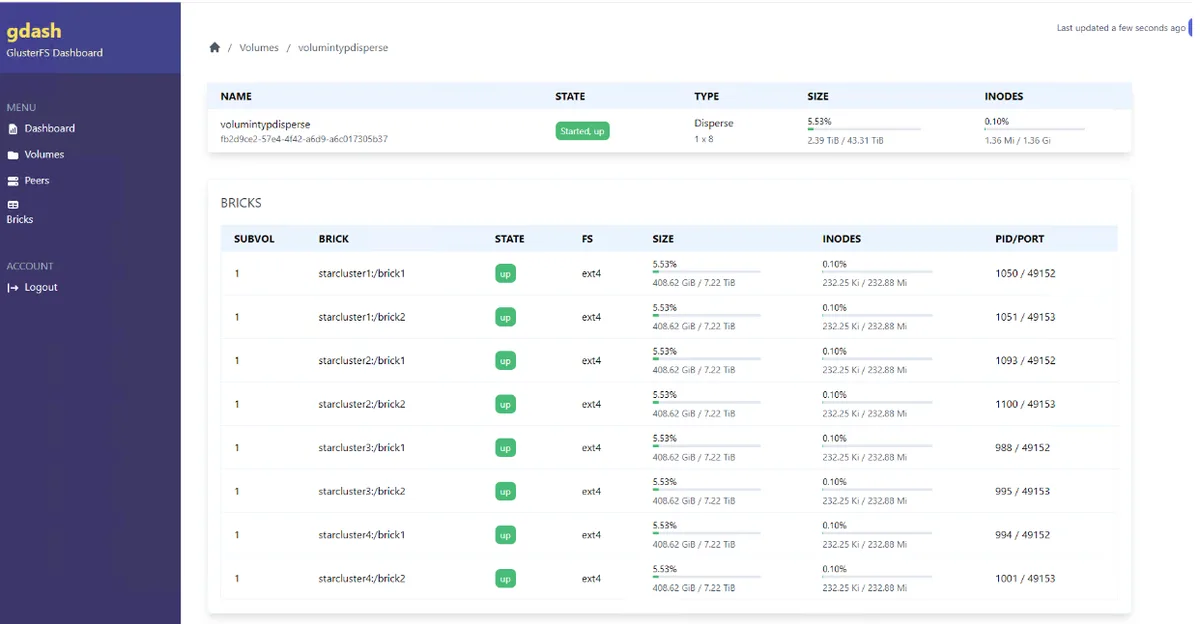
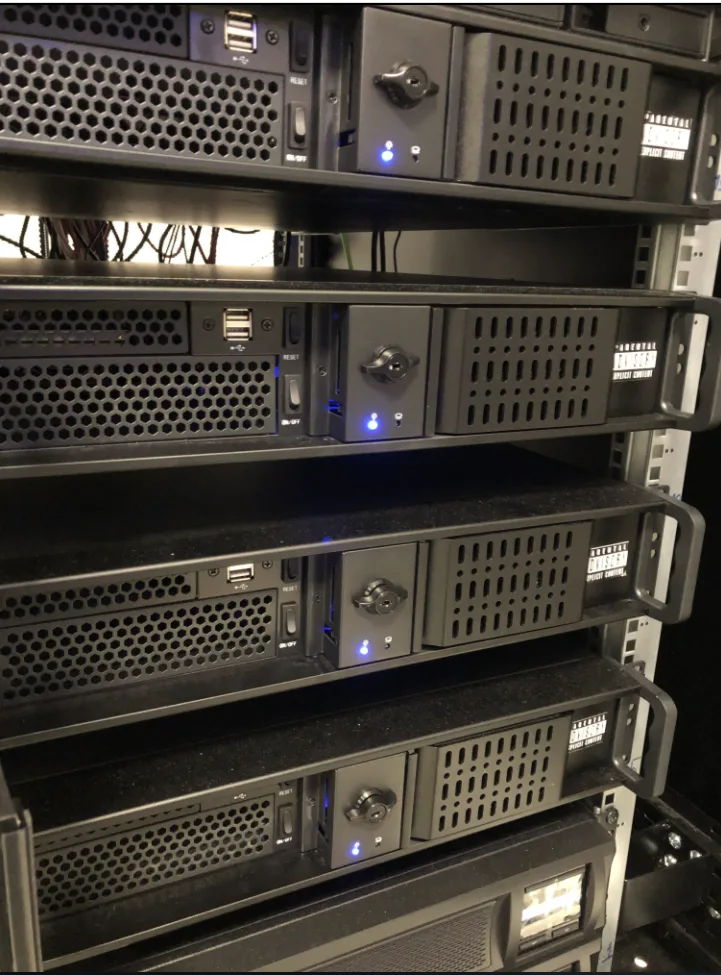
A four-node GlusterFS cluster was deployed successfully. Several configurations were considered, but in the end the hardware already at hand was used: machines sitting in storage that were given a second life. Only network cards and enclosures had to be bought.
Four things drove the design:
- room to grow without rebuilding everything,
- straightforward updates,
- data safety,
- high availability.
The result: four low-end machines turned into a cluster with data redundancy that, in practice, does not fall short of professional solutions.
How GlusterFS works
The integrated servers act as nodes connected over TCP/IP and form what is called a trusted storage pool. The pool consists of bricks, from which volumes are built. Volumes are mounted and used like ordinary storage devices. A machine with access is identified as a client, but nothing prevents one machine from being both client and server.
The documentation recommends a minimum of three servers, understood broadly, since both physical hardware and virtual machines can take part in the cluster. Nodes and bricks can be added in any number; the maximum managed capacity runs into petabytes.
Where the reliability comes from
Redundancy is what makes it reliable: the risk of failure is spread across several physically separated systems, so losing one does not cut off access to the data.
Two mechanisms are worth knowing, and they rarely make it into short summaries:
- translators: ten predefined layers that interpret user operations; they can control access to data in the local file system or encrypt it,
- geo-replication: asynchronous data distribution between servers in different locations, in a master-slave arrangement, with transfers secured over SSH. This is protection against factors no configuration can influence: theft, destruction, fire.
Volume types
Choosing a volume type means choosing between performance, capacity and fault tolerance.
Distributed maximises available capacity. Two 100 GB bricks give you a 200 GB volume, and a given file lands on only one of them. The algorithm spreads usage evenly across nodes. This type is not fault tolerant: losing a brick blocks access to the whole volume and can mean data loss.
Replicated writes files simultaneously to every brick in the volume. It gives better protection and availability when part of the system fails, but capacity is limited to that of a single brick.
Distributed replicated combines both. Bricks paired up form replicated volumes, and those pairs are then joined into a distributed volume. Capacity grows while data stays available after bricks in different pairs fail. Pairs are not mandatory: the more bricks per group, the higher the fault tolerance.
Dispersed keeps data available despite the loss of several bricks. Each brick holds an encoded fragment of the file, and the code plus the surviving fragments are enough to rebuild it.
Distributed dispersed is a fusion of the two above, increasing the capacity of a dispersed volume using a set of identically configured bricks.
The striped and distributed striped types are deprecated and only partially supported. They split a file into fragments written simultaneously across bricks, which makes sense for very large files.
Trade-offs against conventional network storage
On the upside: good use of available disk capacity, network load spread across nodes, higher reliability, very good scalability, no licence fees and readable documentation.
The following list of downsides deserves reading before you commit:
- configuration is time-consuming and demands both hardware and skills preparation,
- using the full feature set requires a capable network: switches supporting link aggregation, UPS-backed power,
- the level of redundancy must be decided while planning the cluster, not afterwards,
- the cluster needs updates and oversight by people with the right competencies; this is not a hardware array you install and forget.
Where it makes sense
Because devices are connected over IP, GlusterFS fits organisations spanning several branch offices. It works equally well in a single location, and smaller organisations can use it to expand their network storage capacity.
Alternatives
Ceph is free and largely mirrors the strengths and weaknesses of GlusterFS. BeeGFS is free, developed by the Fraunhofer Society and aimed specifically at high-performance computing systems. S2D (Storage Spaces Direct) is a commercial Microsoft offering built on paid Windows Server licences.